



Linux
Starting from version 7 of Passwork, updates via git are no longer supported. For updating Passwork, we have prepared a script.
Online update
- Get the script:
- wget
- curl
wget https://repos.passwork.pro/repository/linux/scripts/passwork.sh
curl -O https://repos.passwork.pro/repository/linux/scripts/passwork.sh
The Passwork update script must not be located in the directory together with the application server files.
- Assign execution rights to the script:
- shell
chmod +x passwork.sh
By default, the passwork.sh script will perform:
- Creating a hidden
.script_envfile in the current directory; - Creating a
passwork_archivedirectory for Passwork backup; - Retrieving the latest available version of Passwork, signature, and public key;
- Installing the previously obtained archive into
/var/www/
Actions performed
- Check that all necessary system tools are installed —
php, curl, jq, zip, unzip, file, stat, find - Check PHP version and compare with the required one (8.3)
- Check availability of the Passwork client portal to determine the installation mode
- If Passwork is already installed (the
.envfile is present), switch mode toUPDATE; if the file is not found, useINSTALLmode - If the
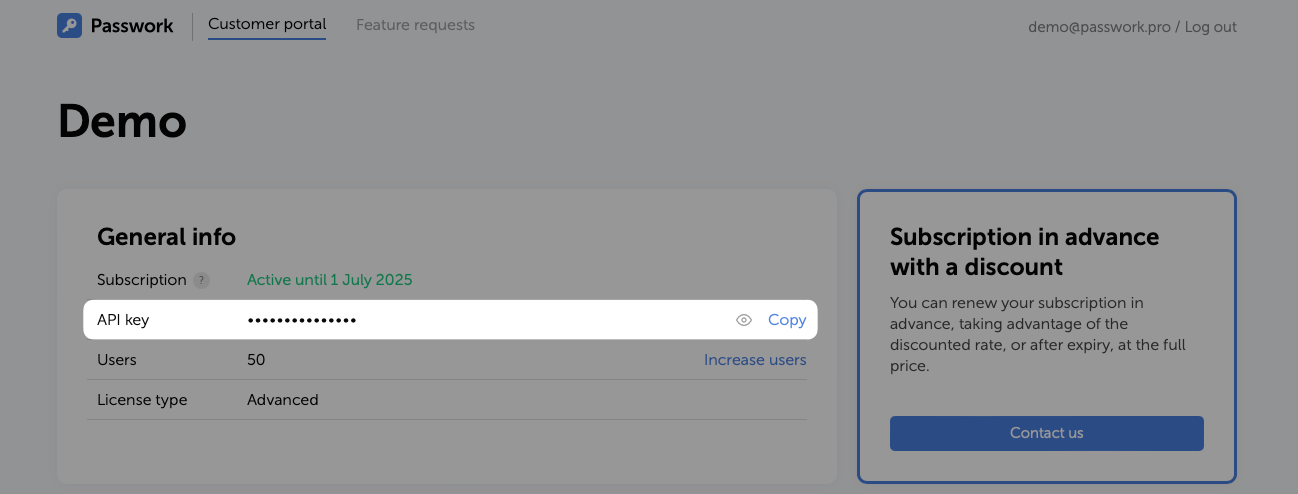
.script_envfile exists, read and get the API key - If the API key is not set, prompt the user to enter it and validate the format
- Get the number of the latest available version via API request
- Compare the obtained version with the current Passwork version
- If a new version is available, download the archive using the request and API key
- Verify correct receipt of the ZIP archive
- Obtain the digital signature and public key
- Verify the ZIP archive using OpenSSL
- Unpack the ZIP archive into a temporary directory
- Make a backup of the current version
- Clean the directory from the previous version, preserving configuration files and logs
- Check directory access rights
- Change owner permissions if the owner is not root
- Modify OPcache settings if they are not configured
- Restart the web server and php-fpm service
- Then run the version update command
update
To use a non-standard installation path, disable certificate verification, or change behavior, use — script parameters
- Run the script:
- shell
sudo ./passwork.sh
At the first run, the script will request the API key and perform basic environment checks:
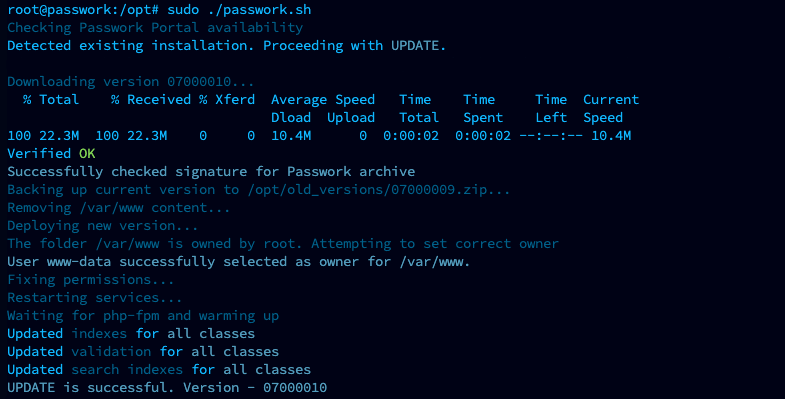
Example of successful script execution:
Offline update
Get the script on another machine with Internet access:
- wget
- curl
- PowerShell
wget https://repos.passwork.pro/repository/linux/scripts/passwork.sh
curl -O https://repos.passwork.pro/repository/linux/scripts/passwork.sh
(New-Object System.Net.WebClient).DownloadFile("https://repos.passwork.pro/repository/linux/scripts/passwork.sh", "$PWD\passwork.sh")
Or get the passwork.sh script manually using the link
The Passwork update script must not be located in the directory together with the application server files.
Assign execution rights to the script:
- shell
chmod +x passwork.sh
Before running passwork.sh, you need to:
- Obtain Passwork version 7 from Passwork Customer Portal (mandatory);
- Place it in the launch directory or use the
--inputargument to specify the location (mandatory); - Obtain the archive signature and Passwork public key (optional if using the
--skipargument).
By default, the passwork.sh script will perform:
- Creating a
passwork_archivedirectory for Passwork backup; - Unpacking the Passwork archive;
- Installing the previously obtained archive into
/var/www/
Actions performed
- Check that all necessary system tools are installed —
php, curl, jq, zip, unzip, file, stat, find - Check PHP version and compare with the required one (8.3)
- Check availability of the Passwork client portal to determine the installation mode
- If connection failed or the
--offlineflag is used, switch to offline mode - Confirm installation in offline mode
- Search for the latest archive in
Passwork-*.zipformat in the directory - Extract the version number from the ZIP file and check that it is not less than
070000 - If Passwork is already installed (the
.envfile is present), switch mode toUPDATE; if the file is not found, useINSTALLmode - Compare the archive version with the current Passwork version
- Move the ZIP to a temporary directory
- Search and move the digital signature and Passwork public key
- Verify the ZIP archive using OpenSSL
- Unpack the ZIP archive into a temporary directory
- Make a backup of the current version
- Clean the directory from the previous version, preserving configuration files and logs
- Check directory access rights
- Change owner permissions if the owner is not root
- Modify OPcache settings if they are not configured
- Restart the web server and php-fpm service
- Then run the version update command
update
After preparation, run the passwork.sh script:
- shell
sudo ./passwork.sh -offline
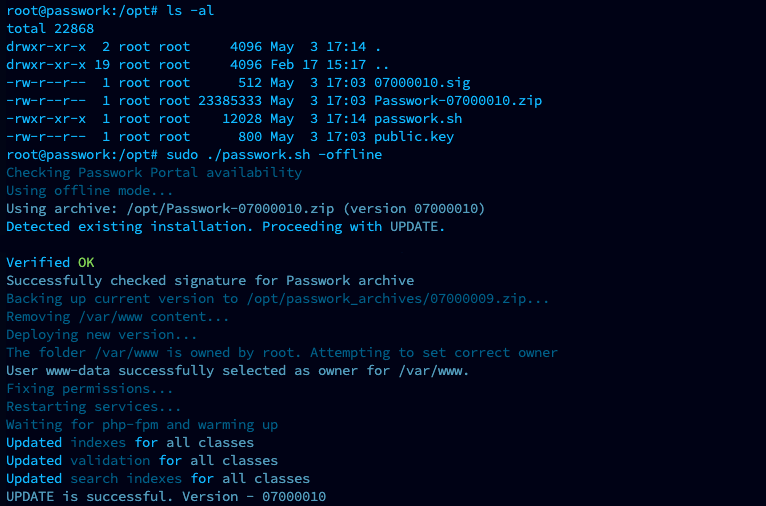
Example of successful script execution:
Script parameters
-i, --input
Path to the archive in offline_mode. Also defines the location of .script_env, passwork_archives:
- shell
sudo ./passwork.sh -i "/home/administrator/passwork"
-o, --output
Installation path (default: /var/www):
- shell
sudo ./passwork.sh -o "/var/www/passwork"
-offline, --offline
Forced offline mode. Requires manual preparation:
- shell
sudo ./passwork.sh -offline
-insecure, --insecure
Skip certificate verification (used if the server lacks CA certificates):
- shell
sudo ./passwork.sh -insecure
-skip, --skip
Skip verification of the Passwork archive signature:
- shell
sudo ./passwork.sh -skip