



Windows Task Scheduler setup
The Task Scheduler is a built-in Windows utility that allows you to automatically run programs or scripts on a schedule or when specified conditions occur.
Passwork version 7 and above has a special script responsible for running background tasks:
- PowerShell
php .\bin\console tasks:run
It can be run manually or configured to run on a schedule using the Windows Task Scheduler.
We recommend first checking the script operation in manual mode. To do this, perform the following actions in PowerShell:
- PowerShell
cd C:\inetpub\wwwroot\passwork
php .\bin\console tasks:run
If the error indicates that the php.exe utility, which runs the background task, is missing, then the directory containing PHP must be added to the PATH environment variable.
Check C:\inetpub\wwwroot\passwork\files\logs\tasks\ for errors.
Make sure that the user under whose account the script runs has write permissions.
Task Scheduler setup
Open PowerShell as Administrator:
- Right-click the Start icon in the lower-left corner of the screen;
- Select Windows PowerShell (Administrator) from the context menu.
Create a task in the Task Scheduler to run the script:
- PowerShell
$action    = New-ScheduledTaskAction -Execute 'powershell.exe' `
            -Argument 'php .\bin\console tasks:run' `
            -WorkingDirectory 'C:\inetpub\wwwroot\passwork'

$trigger   = New-ScheduledTaskTrigger -Once -At (Get-Date) `
            -RepetitionInterval (New-TimeSpan -Minutes 1)

$settings  = New-ScheduledTaskSettingsSet -AllowStartIfOnBatteries `
            -StartWhenAvailable -Hidden -Priority 5

$principal = New-ScheduledTaskPrincipal -UserId 'SYSTEM' `
            -LogonType ServiceAccount -RunLevel Highest

Register-ScheduledTask -TaskName 'passwork_task' -Action $action `
  -Trigger $trigger -Settings $settings -Principal $principal -Force
Error checking and troubleshooting
Open Passwork and log in as Administrator/Owner, then go to the Background Tasks tab.
If configured correctly, a message will be displayed indicating that the scheduler is set up:
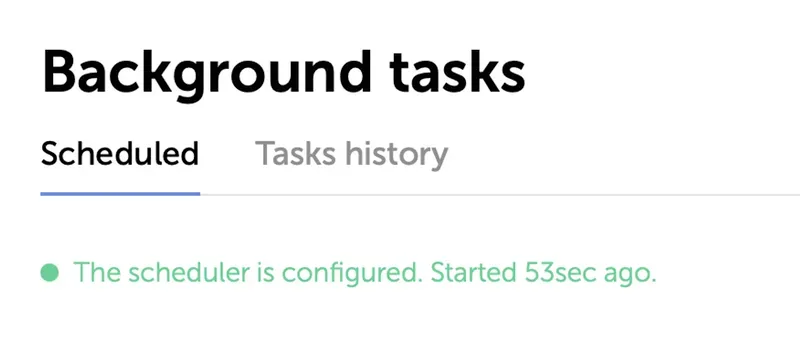
If you see a message that the scheduler is not configured, the execution errors are located in C:\inetpub\wwwroot\passwork\files\logs\tasks\