



Overview
Passwork can record events from the Action History in CEF (Common Event Format), which allows configuring the sending of events to SIEM (Security Information and Event Management system).
We do not provide instructions or examples for configuring specific logging solutions, as such actions directly depend on the infrastructure of a particular company.
Activation
You need to go to Settings and Users → Action History → Settings, and activate the option — Record action history to syslog or Windows Event Log:
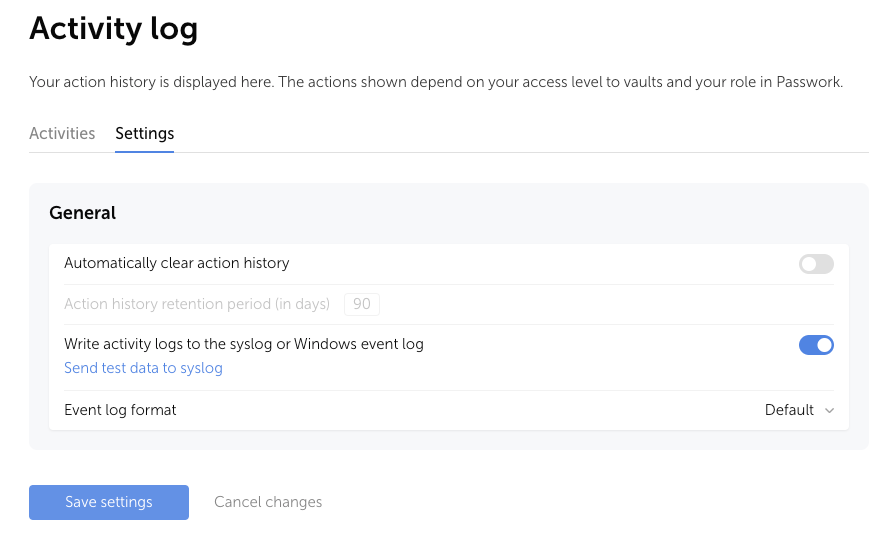
By default, after activation, all Passwork events will be recorded in a local file:
- DEB (Ubuntu, Debian, Astra Linux) — /var/log/syslog
- RPM (RED OS, CentOS, RedHat) — /var/log/messages
- Docker — /<passwork>/log/php/syslog
- Windows Server — Event Viewer configuration
If the syslog file is missing on DEB-based Linux servers, you need to install the package — apt install syslog-ng -y
Each event includes:
- The Device value (depending on the client):
- Web interface — web;
- Browser extension — browser addon;
- Mobile application — mobile;
- API request — api;
- Action performed by the system — internal.
- Event Code (Event ID) — a unique identifier of the action, for example item_created;
- Severity — the importance level of the event from 1 (low) to 10 (high);
- Description — description of the occurred action.
- Additional fields:
- suid — ID of the user who performed the action;
- suser — Login of the user who performed the action;
- duid — ID of the user on whom the action was performed;
- duser — Login of the user on whom the action was performed;
- passworkIp — Client IP address.
Event structure:
- CEF
CEF:Version|Device Vendor|Device Product|Device Version|Signature ID|Name|Severity|Extension
The following events are implemented in Passwork and recorded in the local file — event List